Everything you can do with vCard
Your digital business card is much more than your details: here is every feature, explained in one line.
- 48 features
- 31 free
- Spanish and English

01 · 14 features
Your digital card
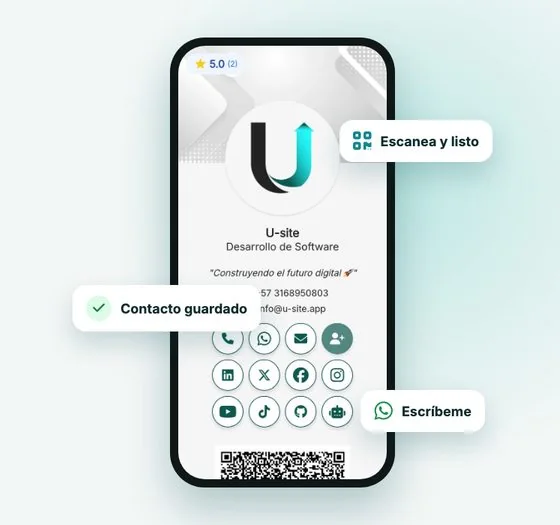
Everything people see when they open your vCard: your details, your image and your links, on a page that loads fast on any phone.
-
Your contact details Free
Name, job title, company, phone, email, address and website. You can hide the phone, the email or the rating if you prefer.
-
Photo, logo and cover Free
Upload your photo or logo and a cover image. They adjust automatically to look good on phones and computers.
-
Card styles Premium
Choose between several card designs and switch anytime without losing your details.
-
Colors and fonts Free
Pick your brand colors and font, and see the result instantly in the live preview.
-
Animation and borders Premium
Add an entrance animation and choose the shape of the photo and buttons.
-
Icon layout Premium
Show your social links in a row or in a side column.
-
AI-written description Premium
A line under your name that explains what you do. If you are not sure what to write, AI suggests one in seconds.
-
Social networks Free
WhatsApp, Instagram, Facebook, LinkedIn, TikTok, X, YouTube, GitHub, Behance, Telegram, Messenger, Signal, LINE and WeChat, one tap away.
-
Extra links Premium
Up to 10 more links with their own icon: your catalog, menu, booking page or anything else.
-
Intro video Premium
Show a YouTube or OneDrive video inside your card.
-
Website button Premium
Change the text of the main button ("Learn more about us") to whatever works best for you.
-
Custom URL Premium
Your card at vcard.u-site.app/your-name, easy to remember and to share out loud.
-
Short link Premium
A short link to paste in your bio, in ads or in messages.
-
Multiple vCards and duplicate Free
Create one card per person, branch or business depending on your plan, and duplicate an existing one to save time.
02 · 6 features
Share and save your contact
Ways to get your card to more people and to be saved on their phone in one tap.
-
QR code Free
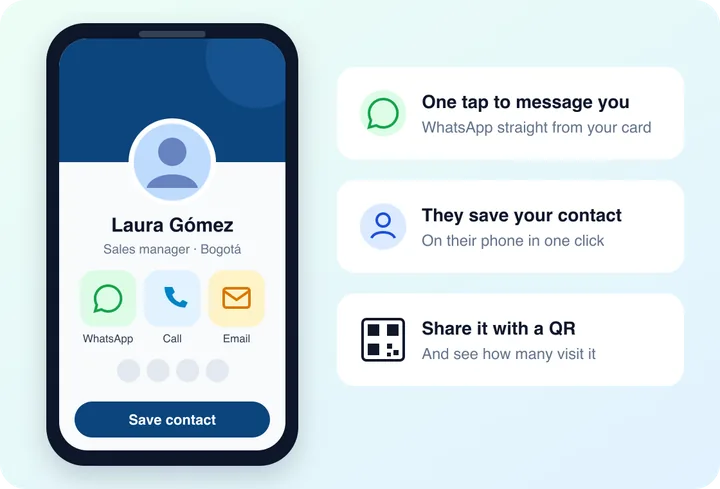
Every vCard has its own QR code ready to download and print on cards, flyers, shop windows or your desk.
-
Save contact Free
Visitors save your full contact to their phone with one button, without typing anything.
-
Google Wallet and Apple Wallet Free
Your card can be added to the phone wallet so it is always at hand.
-
Social preview image Free
When you share your link on WhatsApp or social media, a preview image shows your photo, name and details.
-
Email signature Free
Generate an email signature with your details and social links, in three templates, ready to paste into Gmail or Outlook.
-
Directory and search engines Free
If you allow it, your card appears in the vCard directory by city and category and on Google. You can also keep it private.
03 · 6 features
Turn visits into customers
Tools so that whoever opens your card writes to you, leaves their details, rates you or pays you.
-
WhatsApp with a ready message Premium
The WhatsApp button opens the chat with a pre-written message, so people contact you without thinking what to say.
-
Contact exchange Free
Whoever saves your contact can leave theirs. You get it in your dashboard and by email.
-
Reviews and ratings Free
Customers rate you from 1 to 5 stars on your card. You can request reviews by email and choose which ones are shown.
-
Payment button Premium
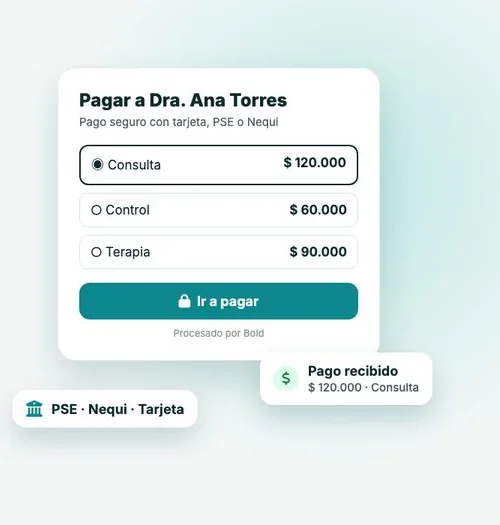
A button with your payment link (Bold, Wompi, Mercado Pago, PayPal or other) to get paid from your card.
-
Payments with Bold Premium
Create payment links and receive card, PSE and other payments from your vCard; the money goes to your balance and you withdraw it to your account.
-
AI agent on your card Premium
An assistant that answers questions about your business 24/7, with a link next to your social icons.
04 · 4 features
Mini website
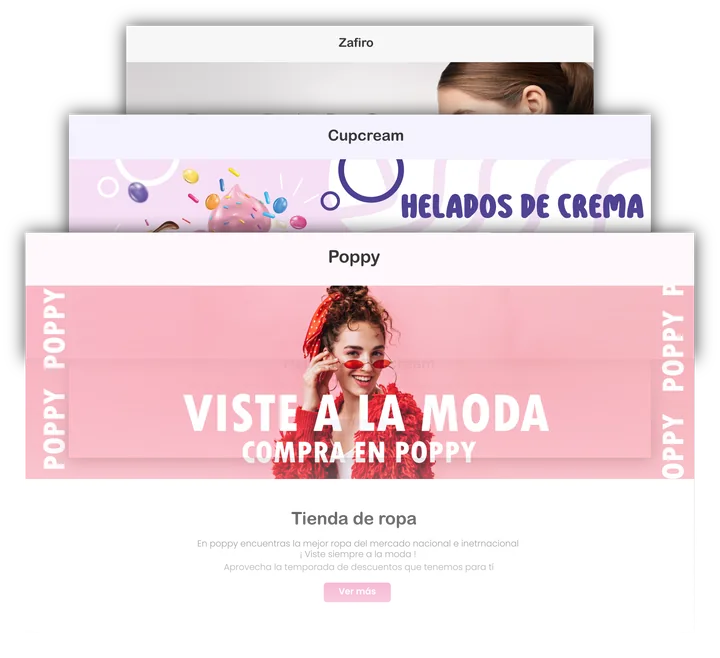
A simple website for your business, no coding, connected to your vCard.
-
Templates Premium
Start from a template and change text, colors and images with a live preview.
-
Sections Premium
Cover, about us, products or services with images, map location, opening hours and contact with your social links.
-
Ready for Google and AI Premium
Title, description and images optimized for search engines, plus an llms.txt file so AI tools understand your business.
-
AI assistant on the mini website Premium
A chat inside your mini website that answers using the information you published.
05 · 3 features
Measure results
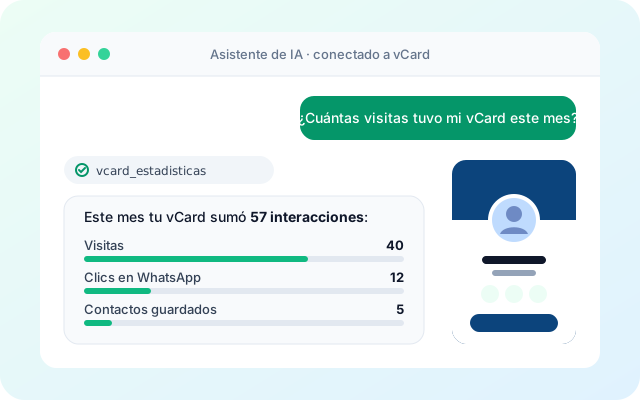
Know what works: how many people see your card and what they tap.
-
Stats per action Free
Visits, saved contacts, WhatsApp taps, calls, emails, each social network, links, payments and contacts received.
-
By period Free
See the last 7, 30 or 90 days, the last year or all time, per card or all together.
-
Monthly email summary Free
Every month you get an email with how your cards performed.
06 · 4 features
AI and automation
Connect your vCard with artificial intelligence and the tools you already use.
-
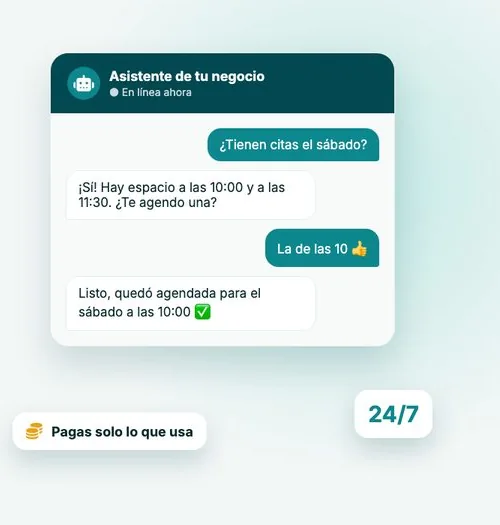
Assistant in your dashboard Free
Ask it in plain words to create or edit your cards, or to show you your stats.
-
Connect your AI Free
Connect Claude or another AI app to your account once and manage your vCards by talking to it.
-
Integrations and CRM Free
Every new contact, review or payment can flow automatically to HubSpot, Zapier, Make, n8n, Google Sheets or your CRM.
-
API Free
Create and look up vCards from your own system with an API key and documentation.
07 · 4 features
Teams and companies
For businesses with several people, branches or sales reps.

-
Collaborators Free
Invite other people to help manage your cards, without sharing your password.
-
Team plans Free
Plans with more cards for teams and companies, all managed from one account.
-
In-person sales Free
Sales reps create the customer’s vCard on the spot and hand over their access.
-
Custom vCard Free
For large organizations: installation on their own servers and customization.
08 · 4 features
Your account and security
Easy, secure sign-in, in your language.
-
Sign in your way Free
With Google in one tap, with a code sent to your email (no password), or with email and password.
-
Two-step verification Free
Protect your account with an authenticator app or an email code, with backup codes.
-
Spanish and English Free
The dashboard, your card and your emails work in Spanish and English.
-
Control of your data Free
Change your password, generate your API key or delete your account whenever you want.
09 · 3 features
Earn with vCard
Programs to recommend vCard and for healthcare professionals.
Your referral link
vcard.u-site.app/register?ref=ana
+1 month of Premium
-
Referrals Free
Share your link: for each person who signs up with it you earn one month of Premium (with a monthly cap).
-
Affiliate program Free
Agencies and sellers earn up to 15% recurring commission in USD for the customers they bring.
-
vCard Health Free
For doctors: verified professional card, online appointment booking, reminders and a specialist directory.
Create your free vCard in minutes
Start on the free plan and upgrade to Premium when you need it.